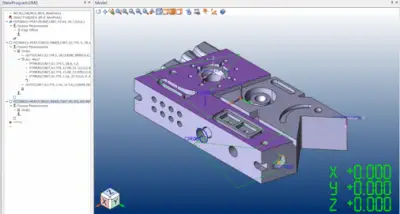
Proven in the most challenging application environments CAMIO is the CMM software of choice for many of the world’s largest manufacturers. By leveraging the productivity benefits of CAMIO, manufacturers can focus on accelerating lead times and improving product quality while reducing costs. CAMIO’s interoperability across CMM platforms, sensor technology and manufacturing sites, is a unique advantage which guarantees the sustainability of your investment in software and inspection programs.
LK Metrology is celebrated for its pioneering CMM hardware and software, achieving several industry firsts like the inaugural bridge-style and high accuracy horizontal arm CMMs, alongside the first CMM-specific software. Their technology supports a wide range of industries – from automotive to aerospace and beyond – through every production stage, enhancing quality, efficiency, and cost-effectiveness. CAMIO, their flagship software, offers tailored solutions for both small and large operations, ensuring businesses maintain a competitive edge by leveraging the most advanced metrological technologies.
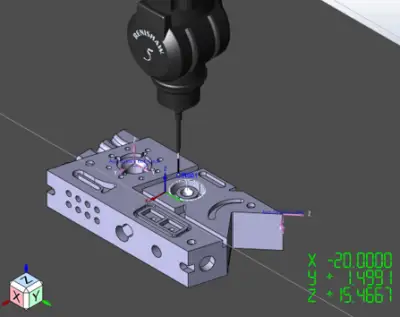
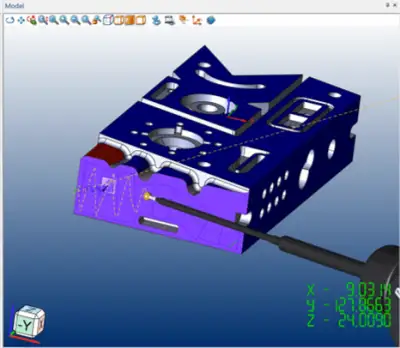
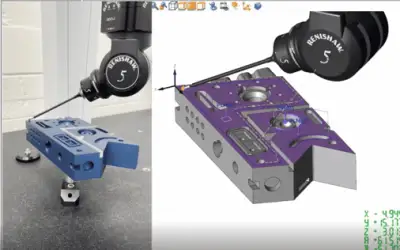
This version introduces comprehensive support for the full range of Renishaw® REVO 5-axis head capabilities for tactile probing – programming, measurement and reporting.
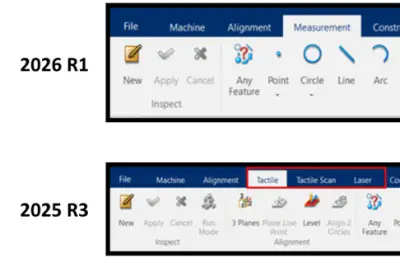
The user experience has also been enhanced with a new unified Measurement tab, bringing related functionality together in one place.
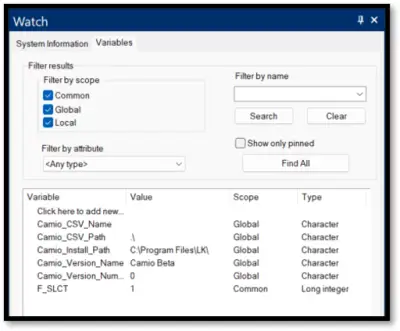
In addition, powerful new features—including the Automatic Watch Pane—help streamline workflows and improve productivity.
Comprehensive support for the full range of Renishaw® REVO 5-axis head capabilities for tactile probing, including:
Geometric and freeform measurement strategies
Simultaneous 5-axis motion
Head touches
Continuous scanning
Online and Offline programming.
The REVO probing system uses synchronised motion and 5-axis measurement technology to minimise the dynamic effects of CMM motion at ultra high measurement speeds and with greater flexibility.
Program complex parts more efficiently with advanced 5-axis measurement strategies.
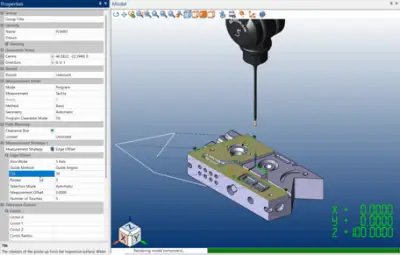
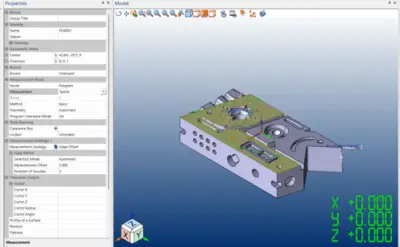
CAMIO 2026 R1 provides new 5-axis geometric measurement strategies as well as more powerful freeform measurement strategies, such as sweep scan and edge offset, which have built in optimisation and path planning.
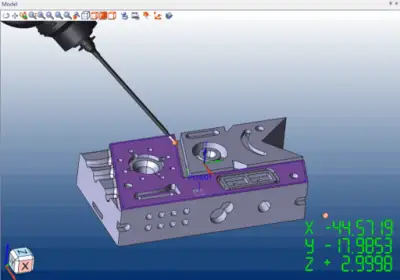
Utilise the power of 5-axis for tactile measurement using head touches.
Improve CMM productivity and metrology using 5-axis head touches for all tactile measurement strategies.
Precise control of 5-axis head motion during programming.
CAMIO’s new Tilt and Advance functionality is seamlessly integrated alongside our measurement strategies, allowing powerful control over your 5-axis head motion at all stages of your measurement.
5-axis programming tools for any workpiece geometry.
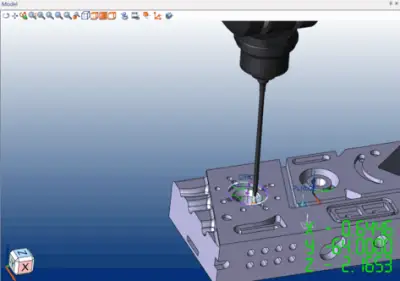
CAMIO 2026 R1 provides advanced tools for 5-axis scan programming with support for Circle, Helix and Gasket scans. Along with the addition of new measurement strategies for more complex scan types such as Sweep Scanning.
Create and prove-out your 5-axis programs, even before the workpiece has arrived, with full simulation offline.
Offline CMM programming enables inspection programs to be created and validated without occupying the CMM, reducing downtime and increasing productivity.
Never struggle to locate your programming tools again.
CAMIO 2026 R1 combines the Tactile, Tactile Scan and Laser tabs into one ‘Measurement’ tab, making programming simpler than ever.
All sensor types, all measurement strategies, all in one place.
Along with the single ‘Measurement’ tab, CAMIO 2026 R1 expands the functionality of its Teach Path to allow free switching between sensor types and measurement strategies at any time.
Keep track of your program variables, no matter where you are!
CAMIO’s new automatic watch window allows tracking of program variables at all times. With an easy to use UI, filtering options and the ability to favourite the ones you need, this is a powerful new tool for programmers.
Always have the perfect perspective when programming your features.
CAMIO 20261 R1 adds the ability to use the ‘Zoom to Feature’ functionality while in the Teach Path. Instantly zoom to the feature you are trying to program, helping you to get the perfect view while performing precise edits to your strategy.